When to use this plugin
This article is about the Axtension® Content Gate connector for Microsoft Dynamics for Finance and Operations. This connector can only be installed on Microsoft Dynamics for Finance and Operations environments.
The connector adds the Axtension® Content Gate functionality to the Microsoft Dynamics for Finance and Operations instance and enables the embedded and web document management functionality that Axtension® Content Gate offers.
If you do not have a Content Gate environment yet and wish to use Content Gate on your Microsoft Dynamics for Finance and Operations instance, please reach out to info@axtension.com
How to install the plugin
After purchasing Axtension® Content Gate, the solution package will be delivered to the asset library of the desired LCS project.
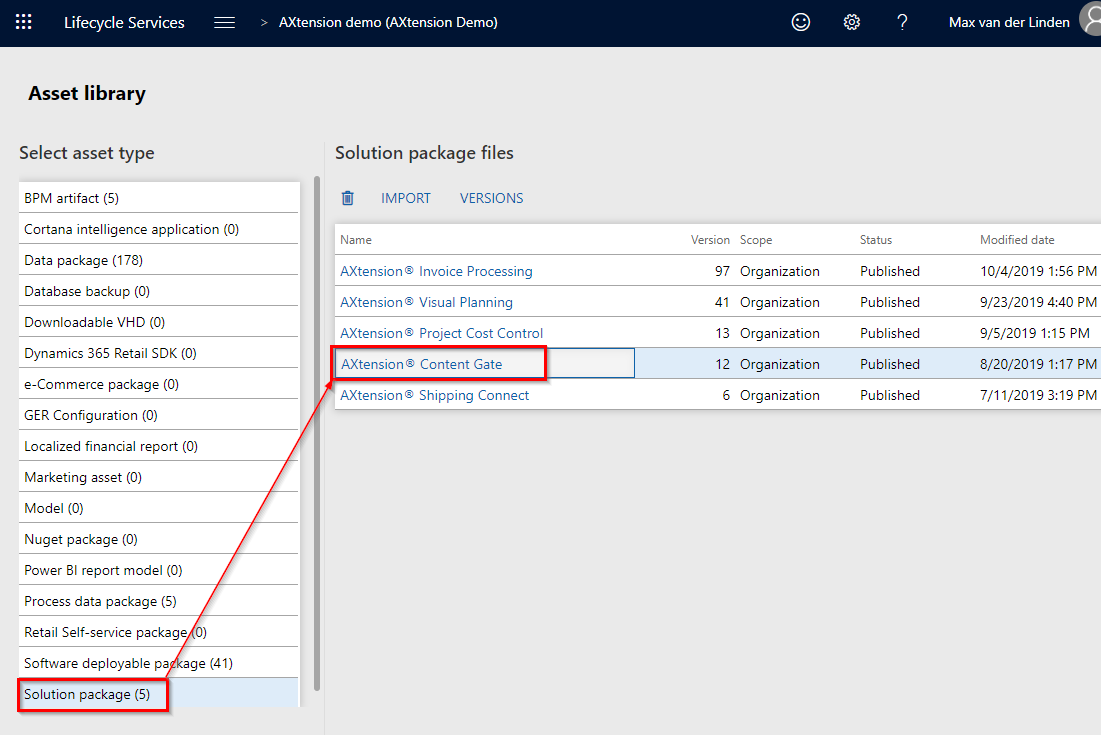
To update the solution click the versions button, select the top version and click the get version button.
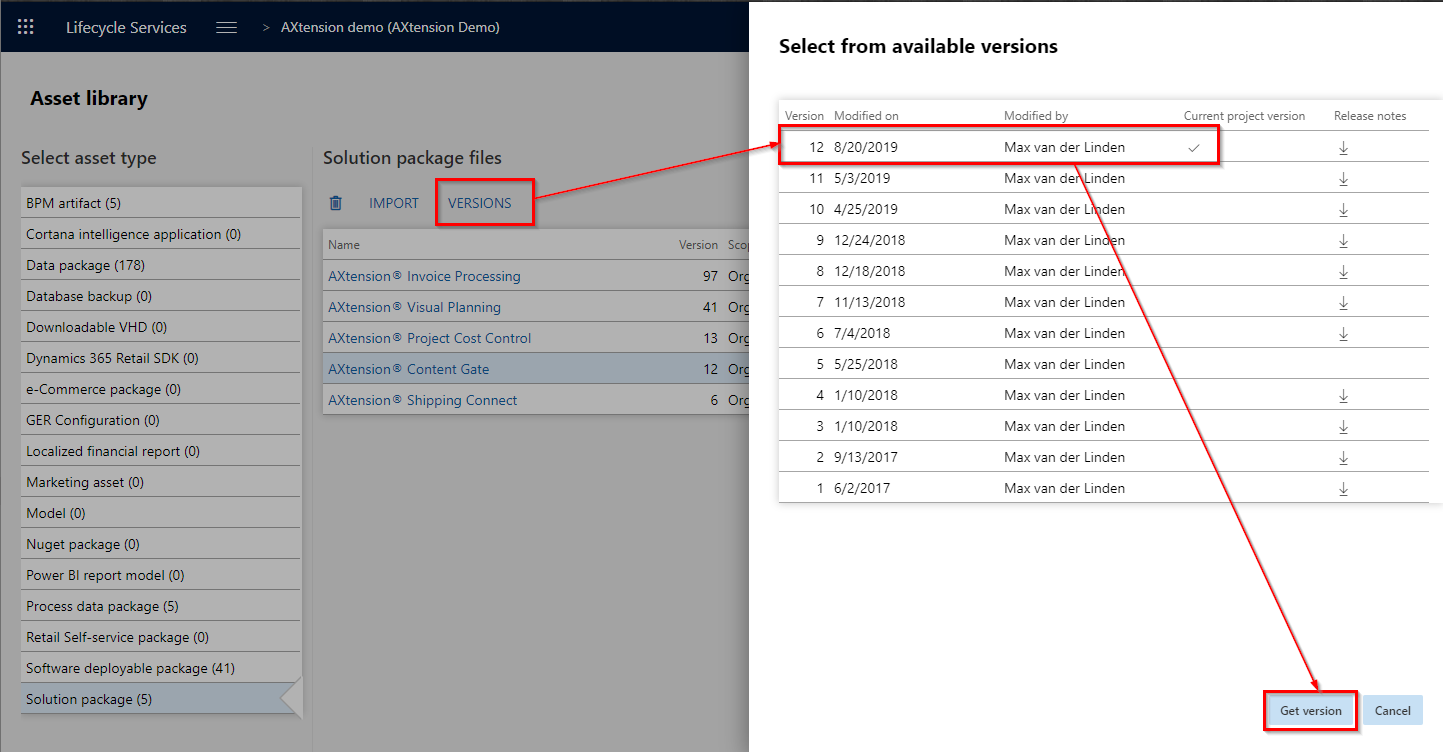
This will download the latest deployable package of the Axtension® Content Gate Connector.
To install the solution go to the cloud hosted environment, click the maintain button and apply updates.
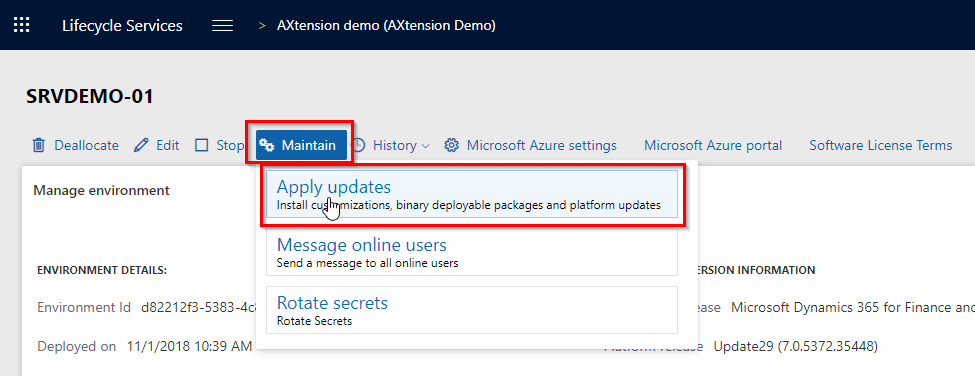
Then select the latest version of the Axtension® Content Gate Connector and click apply.
After the installation is complete, the Business Entity Connector in Axtension® Content Gate can be setup and connected.